PMISuite Operations
From planned scope to measured work, signed approval, and billing.
Construction project operations for Odoo 18 Community. Connect project planning, daily site records, measurements, and payment applications in one project and site context, with links to Odoo Sales, Purchase, Inventory, and Accounting.
Start here: Project delivery manual · PDF edition · Explore the addons
What You Can Do
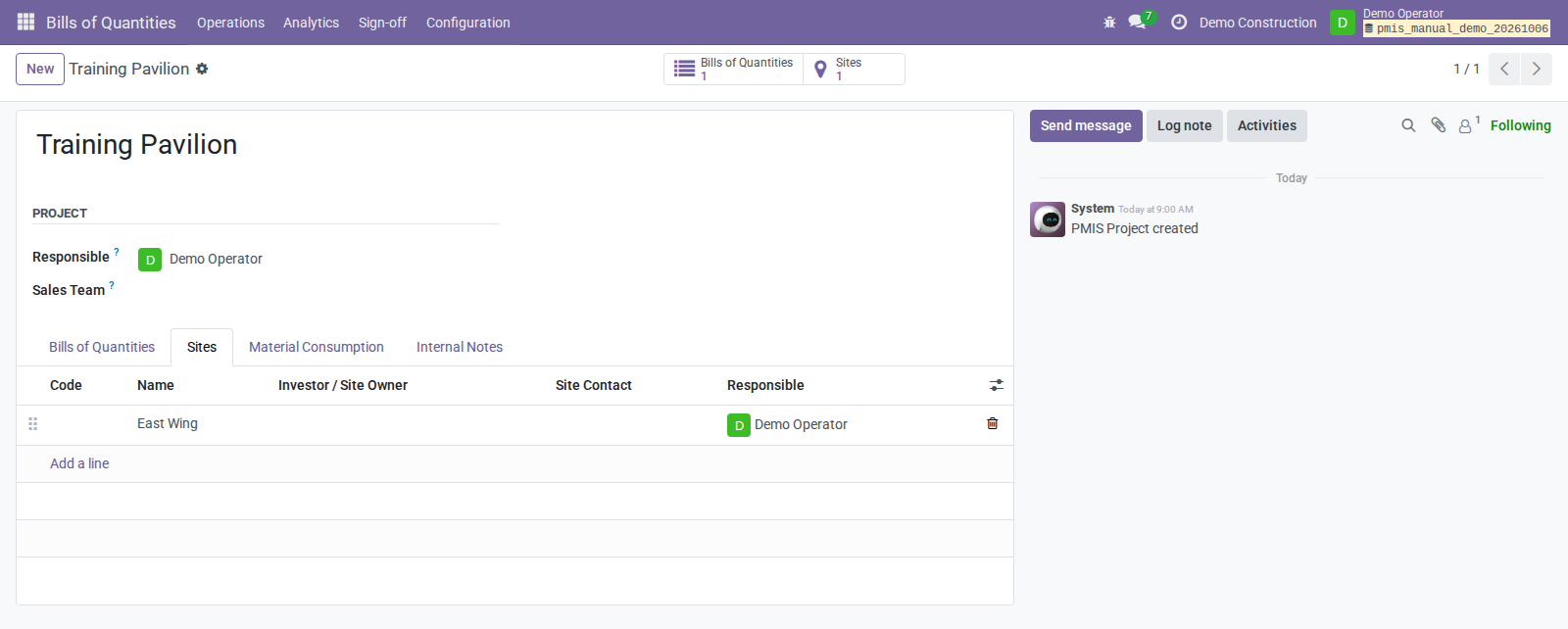
- Plan the scope: organize projects and sites, define Bills of Quantities, and prepare sales quotations and purchase orders.
- Record site execution: keep Construction Daily Logs with personnel, equipment, conditions, attachments, and review history.
- Measure progress: record measured and accepted quantities in Measurement Books, with issued iterations preserving the reviewed work.
- Certify completed work: prepare period-based payment applications, called Situations, and obtain Control Officer approval.
- Connect delivery and billing: deliver explicitly mapped materials, track actual material costs, and apply the configured invoice policy.
The workflow: Plan → Record → Measure → Sign → Certify → Deliver and bill.
Control Officers can sign as authorized internal Odoo users or, when they have no active internal account, through an OCA PDF/portal invitation. Both Measurement Books and temporary sale Situations support this external route. Signed evidence is retained even if downstream completion needs a retry.
Find Your Guide
Choose the workflow that matches your role. Each guide follows the end user's screens and actions rather than the underlying implementation.
- Project manager: Prepare a construction project — scope, responsibilities, access, and workflows. Download PDF.
- Construction operative: Run the works — daily records, quantities, Measurement Books, and Situations. Download PDF.
- Control Officer: Review and sign — check evidence, approve measurements, and sign internally or through the portal. Download PDF.
For the complete process, configuration, and recovery guidance, use the Project Delivery Manual.
See the Results
- OCA-signed Measurement Book sample — one landscape page showing measured, accepted, and remaining quantities.
- OCA-signed Situation sample — one landscape page showing the valuation of certified work.
- External Control Officer signing guide — illustrated invitation, signature capture, and confirmation screens.
The PDF samples use synthetic data and visible demonstration signatures. They are separately OCA-signed reading copies, not replacements for immutable workflow snapshots or claims of legally qualified electronic signing.
Addons
Install the components you need; follow each addon's README for prerequisites and configuration.
- pmis_assessment — projects, sites, Bills of Quantities, Measurement Books, Situations, and valuation reports.
- pmis_field_service — construction daily journals and OCA Field Service integration.
- pmis_signoff — signing authority, preserved evidence, Measurement Book issuance, and temporary Situation certification.
- pmis_situation_stock — customer material delivery, internal consumption, and actual stock costs.
- pmis_mrp — a Manufacturing Overview entry point for Odoo's work-center dashboard.
Getting Started
- Start with pmis_assessment, then add signing, field journals, or stock
operations as required. Signing requires OCA Sign; field journals require
OCA Field Service. Make the selected addons and their dependencies
available in Odoo's
addons_path. - Follow the preparation guide to configure company workflows, project responsibilities, signing authority, and access. Stock operations also need the appropriate locations and valuation settings.
- Open Bills of Quantities and follow your role's guide for daily work.
Automated customer certification and invoicing apply to temporary sale Situations, not final Situations. Invoice creation or posting depends on the company policy; payment and reconciliation remain in Odoo Accounting.
Repository Status
Test and coverage badges












TODO
- Verify that existing deployments include this repository in their addon paths wherever these modules are installed.