Slovenian Accounting V.2 — User Manual
For accounting managers configuring the Slovenian chart in Odoo 18 Community. This addon supplies accounts, taxes, fiscal positions, account groups, and tax report definitions. Operational VAT exports are provided by Slovenian Tax Addons.
Before starting
Your administrator must install l10n_si2 and its dependencies. Upstream
l10n_si must not be installed alongside it. An existing upstream chart needs
a separate migration; installing this module does not convert historical data.
For automatic selection on a fresh database, first complete the base-only PMIS Localization Policy setup, then install Accounting separately. Without the policy, the administrator installs this chart addon explicitly.
Review company accounting setup
- Select the intended company in the company selector.
- Have the accounting administrator complete the company's Slovenian fiscal localization setup in Accounting settings.
- Open Accounting > Configuration > Chart of Accounts.
- Review account codes, account types, reconciliation settings, and the accounts required for your activities. Account visibility follows your accounting role.
- Configure bank and cash journals and their payment accounts.
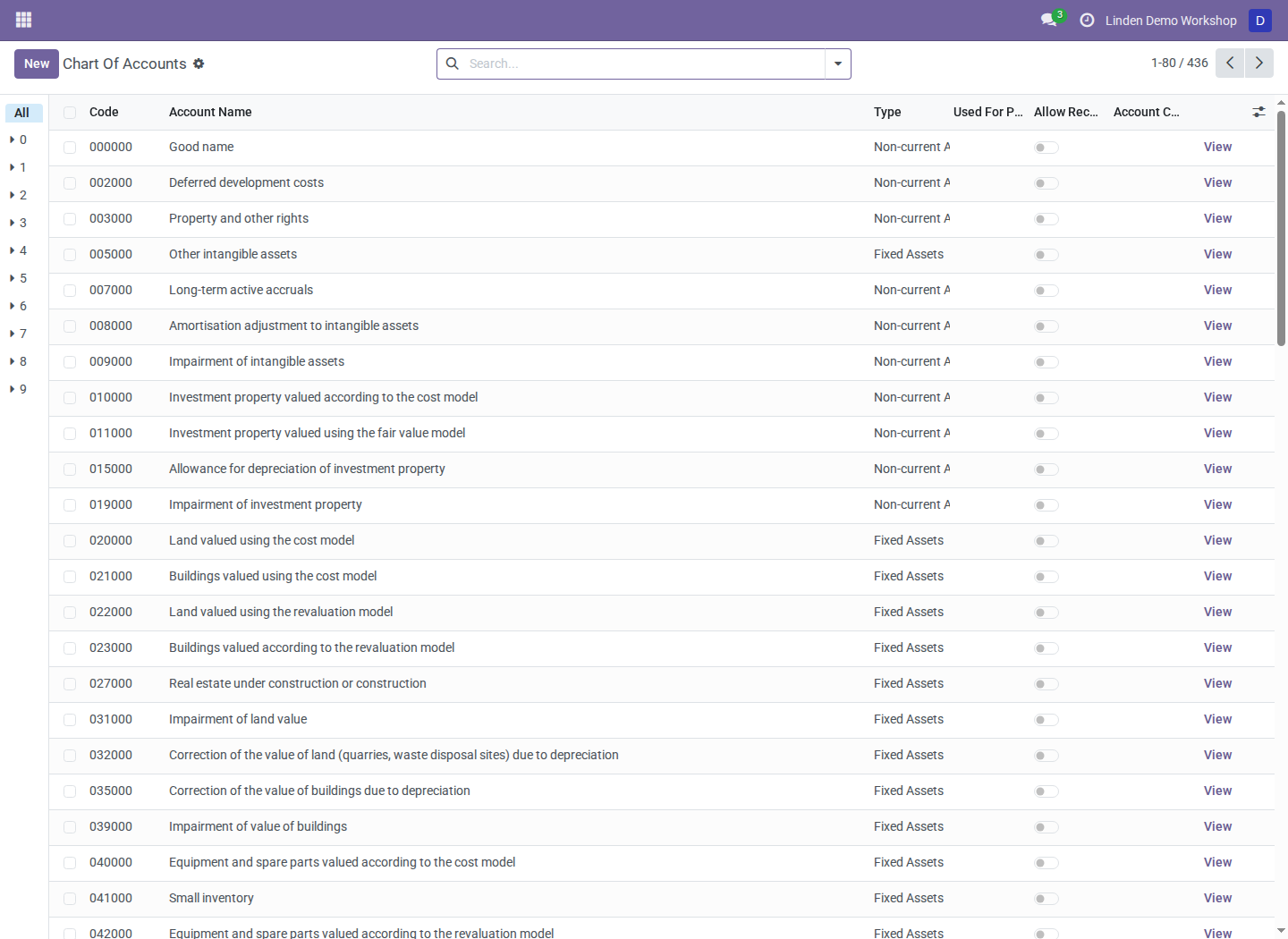
Accounts loaded from the replacement chart for the fictional Linden Demo Workshop company. Chart configuration is company-specific.
The chart uses code si. Bank, cash, and transfer prefixes default to 110,
100, and 109. Reference account groups organize accounts by code ranges;
review group membership when adding custom account codes.
Review taxes before invoicing
- Open Accounting > Configuration > Taxes.
- Open each applicable sales and purchase tax.
- Check its rate or child taxes, tax scope, and invoice/refund distribution.
- Review posting accounts and reporting tags with the accounting manager.
- Review fiscal positions and the company's tax-rounding method.
- Verify a representative invoice's accounts, VAT, and reporting treatment before using the configuration for routine transactions.
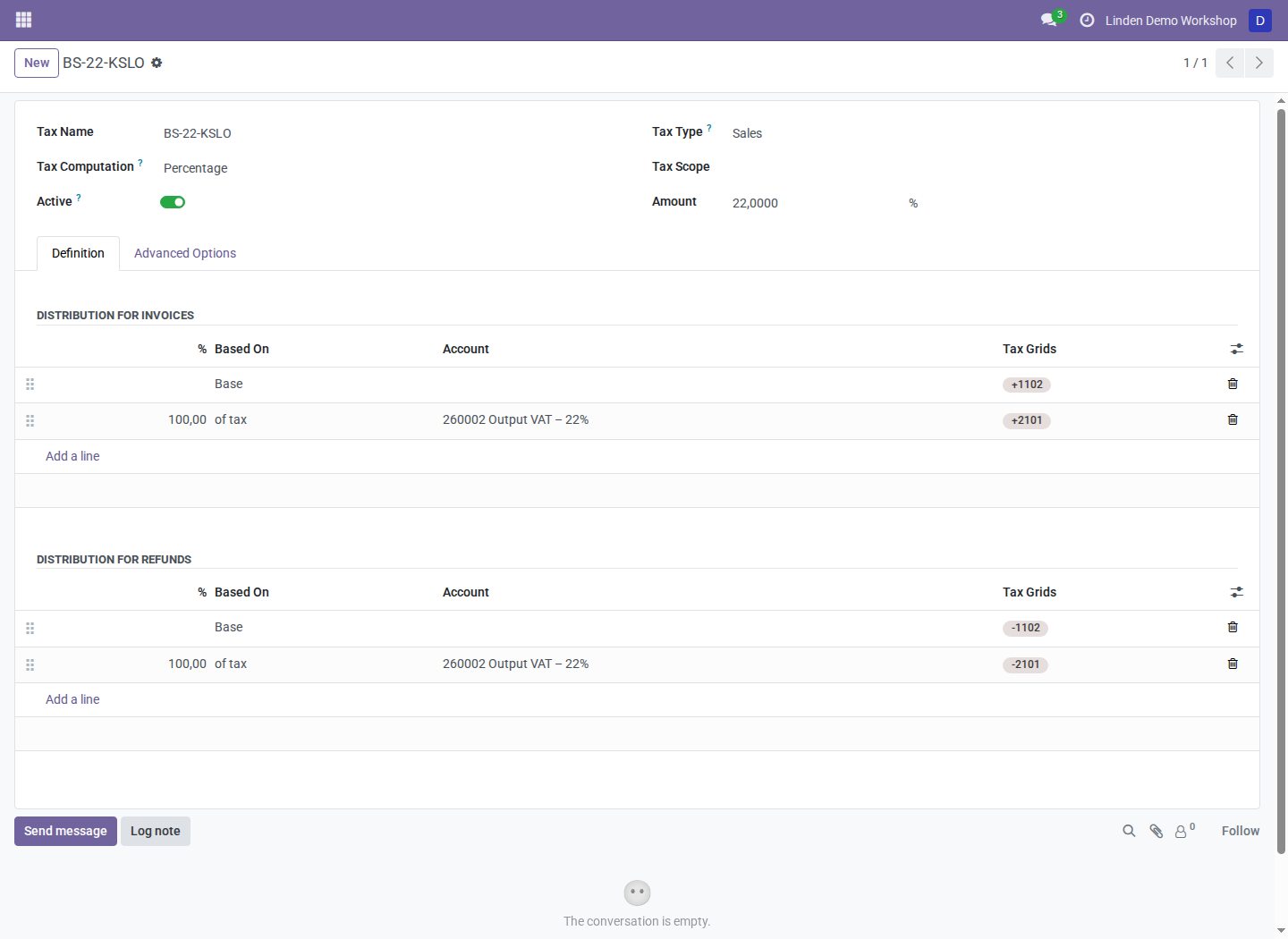
A 22% sales tax loaded from the chart. The example rate does not determine which tax is appropriate for a particular transaction.
Grouped taxes can contain several components. Do not replace a grouped tax with a single percentage merely because the displayed total appears similar: the posting and reporting tags can differ.
Maintain an existing chart
Review the company's actual accounts, tax repartitions, fiscal positions, and rounding settings when maintaining its chart. Templates supply initial defaults; customized configuration needs individual review against the company's activities. Keep historical account and tax references intact when adjusting configuration.
Tax-book mappings come from l10n_si_tax_addons. Review those mappings separately
from chart accounts and tax definitions. The non-deductible
+9004/-9004 tags intentionally have no default DDV-O or tax-book destination;
do not infer a filing position from the tag's existence.
Troubleshooting
| Symptom | What to check |
|---|---|
| No accounts for the intended company | Company selection and whether company chart setup completed |
| A tax exists but a report omits it | Repartition tags, fiscal positions, Tax Dates, and the reporting addons' mappings |
| Configuration differs from templates | Company-specific tax settings, repartitions, and custom account-group ranges |
| Both Slovenian providers are requested | Stop installation and resolve the upstream/replacement conflict with the administrator |
Screenshot context
Screenshots show a real Odoo 18 disposable database with the replacement chart and fictional company records. They contain no production or customer data. The Accounting application may be labeled Invoicing in your installation.