PMIS Product Catalog


Print out a Catalog for Products with Variants, Attributes and Images.
This branch targets Odoo 18 Community Edition. Saved styles use the product.catalog model; the print wizard uses product.catalog.temp. Retention of older style records requires a separately validated database migration.
Custom settings for colors, header, footer and layout of the catalog with the option to automatically adjust layout depending on the parameters of the Template/Product.
Save and Load profiles for catalog settings, subject to the persistence limitations below.
Features
Selected product variants grouped by template and eCommerce category, with templates ordered by their website sequence within each category.
Product attributes and images, including optional eCommerce images.
Justified product descriptions in every layout. Auto, Single Column, Double Column, and Grid use the sales description; Full Page uses the first available eCommerce description field, falling back to the sales description only when those fields do not exist.
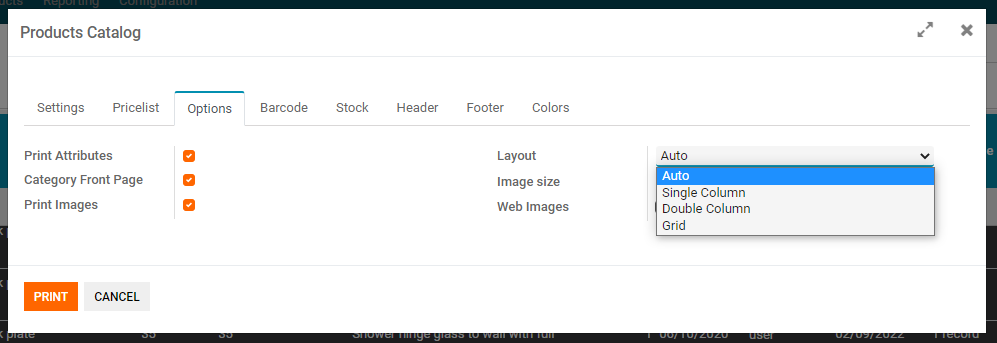
Auto, Single Column, Double Column, Grid, and Full Page layouts.
Header choices for None, Default Company Header, or This Header with an optional logo, subject to the report limitations below.
Category names, custom footer content, page numbers, and company name.
Optional category cover pages with images constrained to the cover area and a page break before the category's products.
Colors, fonts, table lines, spacing, and an Apply Clean Style preset.
Separate attribute header and body fonts, font sizes, text colors, and backgrounds across all five layouts. Attribute font-family selections are saved and restored with the report style.
Optional brand logos overlaid at the top-right corner of the main product image, without reserving extra space above it.
Optional pricelist prices calculated for configured quantities, including quantity-dependent rules.
Accessory products in an OPTIONS table for Single Column and Double Column, including Auto when it chooses either layout. Optional accessory prices use the selected pricelist at quantity 1.
Installation
Copy pmis_product_catalog into an Odoo 18 custom addons path.
Update the Apps list and install PMIS Product Catalog.
The required standard dependencies are installed automatically: base, web, product and website_sale.
Restart Odoo and upgrade this addon after replacing an earlier migrated copy: -u pmis_product_catalog.
The optional Print product brand setting works when another installed addon provides product.template.product_brand_id and a brand logo. The overlay requires Print Images and a main product image; it is not repeated on additional eCommerce images. Without such an addon, Odoo 18 CE safely falls back to the normal product image.
Configuration
Assign eCommerce categories to your products and optionally set their catalog_image field on the eCommerce category form for cover pages.
Choose a pricelist and website in the wizard. Category selection includes descendants; leaving it empty uses the website's eligible categories.
Internal users (base.group_user) can manage styles and use the wizard, subject to their access to products, pricelists, websites, and categories. This addon does not define a separate Products Catalog group.
Usage
Select product variants in the Product Variants list, then choose Actions > Products Catalog. The catalog includes only selected variants that belong to the chosen eCommerce category hierarchy. Select a pricelist, website, and desired settings, then print the PDF.
The addon does not define or bind a dedicated paper format. Page size, margins, orientation, and DPI follow the applicable Odoo report paper format.
To print category covers, enable Category Front Page and choose None or This Header as the Header Type. Enable Print Images to include the category's catalog image. Disabling Category Front Page removes the cover and its page breaks.
The screenshots below illustrate earlier interfaces; current field placement and menu labels may differ.

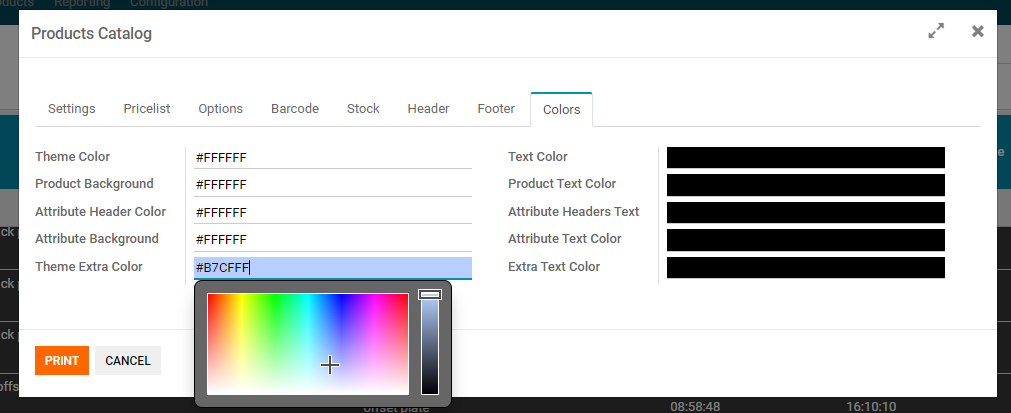
Customize colors with a color-picker widget.
For attribute tables, use Colors to set header and body text colors and backgrounds, Font Sizes to set their sizes, and Fonts by Element to choose their font families. These settings apply to Auto, Single Column, Double Column, Grid, and Full Page layouts. The Full Page variant-code header uses the attribute header font size.
Attribute and OPTIONS table backgrounds are painted on individual cells, without alternating white rows or overlapping table and row backgrounds. Use the OPTIONS tab to style accessory-table titles, headers, and rows; its font sizes are in points, while Font Sizes uses pixels.
Fonts must be installed on the server that generates the PDF; otherwise a fallback font is used. The standard company layout's font is managed in Odoo.
Different layout options, automatic layout per product and display product and category images.
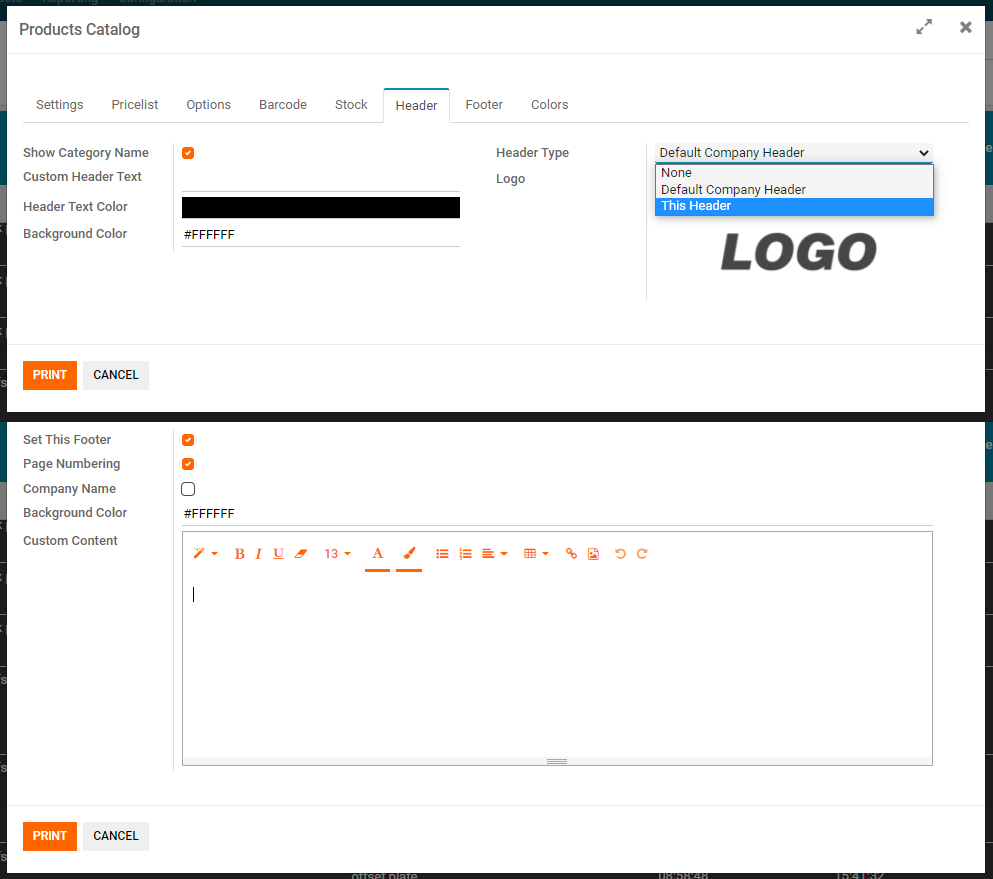
Set custom header or footer
Options to print with a custom header or your Default report header set in odoo
Pagination and custom content/text
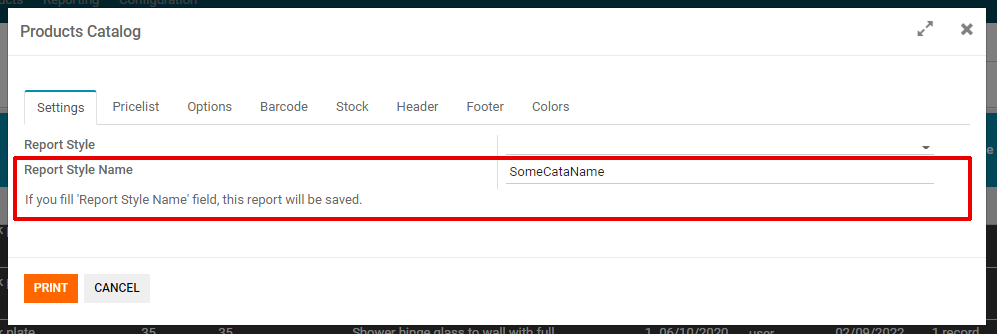
Enter Report Style Name to save settings when printing. Select an existing style to load it; printing with its unchanged name updates that style. A name already belonging to another style is not overwritten and silently skips saving. Attribute header and body font families, sizes, text colors, and backgrounds are included when saving or updating a style.
Known Limitations
Font-family choices other than the attribute header and body fonts, together with OPTIONS typography settings, are used for the current print but are not written by save_report(). Loading a saved style restores its stored values for these fields, which may differ from the last print.
Web Images is ignored in Double Column and Grid layouts; additional eCommerce images are supported in Auto, Single Column, and Full Page layouts.
Default Company Header currently uses Odoo's basic layout without calling the standard company header. This selection also skips category covers and the custom footer. Custom footer content, page numbers, and company name require Set This Footer with None or This Header selected.
Full Page chooses its description field by availability, so an empty eCommerce description does not fall back to the sales description.
Quantity fields qty1 through qty5 are supported by the report and saved styles but are not exposed in the wizard form. The default quantity is 1; configuring other quantities requires setting those fields separately.
Barcode and available/incoming quantity fields exist, but report templates do not render them. There is no dedicated bare price-list report.
Products without an eligible eCommerce category are excluded. An empty result blocks printing with an error.
Bug Tracker
Bugs are tracked on PMISuite Repository Issues. In case of trouble, please check there if your issue has already been reported. If you spotted it first, help us smashing it by providing a detailed and welcomed feedback.
Credits
Contributors
Carlo Vettore
Devid Miklus
Matjaž Mozetič
Maintainers


Current maintainer:

This module is maintained by Luxim d.o.o., a company dedicated to the development of program management tools and solutions, as a part of PMISuite.com project.

Luxim is an active member of OCA (Odoo Community Association).