Slovenian Intrastat Product Declaration — User Manual
For Intrastat preparers working in Odoo 18 Community. This addon provides Slovenian arrivals/dispatches declarations, CN8 code loading, and XML/XLSX exports. It does not submit a declaration to the reporting portal.
Before starting
The administrator must install the module and its dependencies. Configure:
- A Slovenian declaration company with VAT and Intrastat settings.
- Products' HS/CN codes, net weight, supplementary units, and country of origin.
- Invoice fiscal positions and Intrastat transaction information.
- Transport modes and Incoterms where extended reporting requires them.
- Accounting-user/manager access and the Slovenian Intrastat Product Declaration group for its menus and code loader.
Load a CN8 code pack
The loader changes shared HS codes across companies. The company displayed on the wizard does not restrict the import to that company. Agree the year, language, and timing with the accounting administrator before loading.
- Ensure the selected pack's language is active in Odoo.
- Open Intrastat > Load Intrastat Codes.
- Select the offered year/language pack in Intrastat Code File.
- Confirm that descriptions and validity dates may be updated globally.
- Click Load.
- Review the completion counts and products reported with invalid codes.
- Correct affected products before gathering declarations.
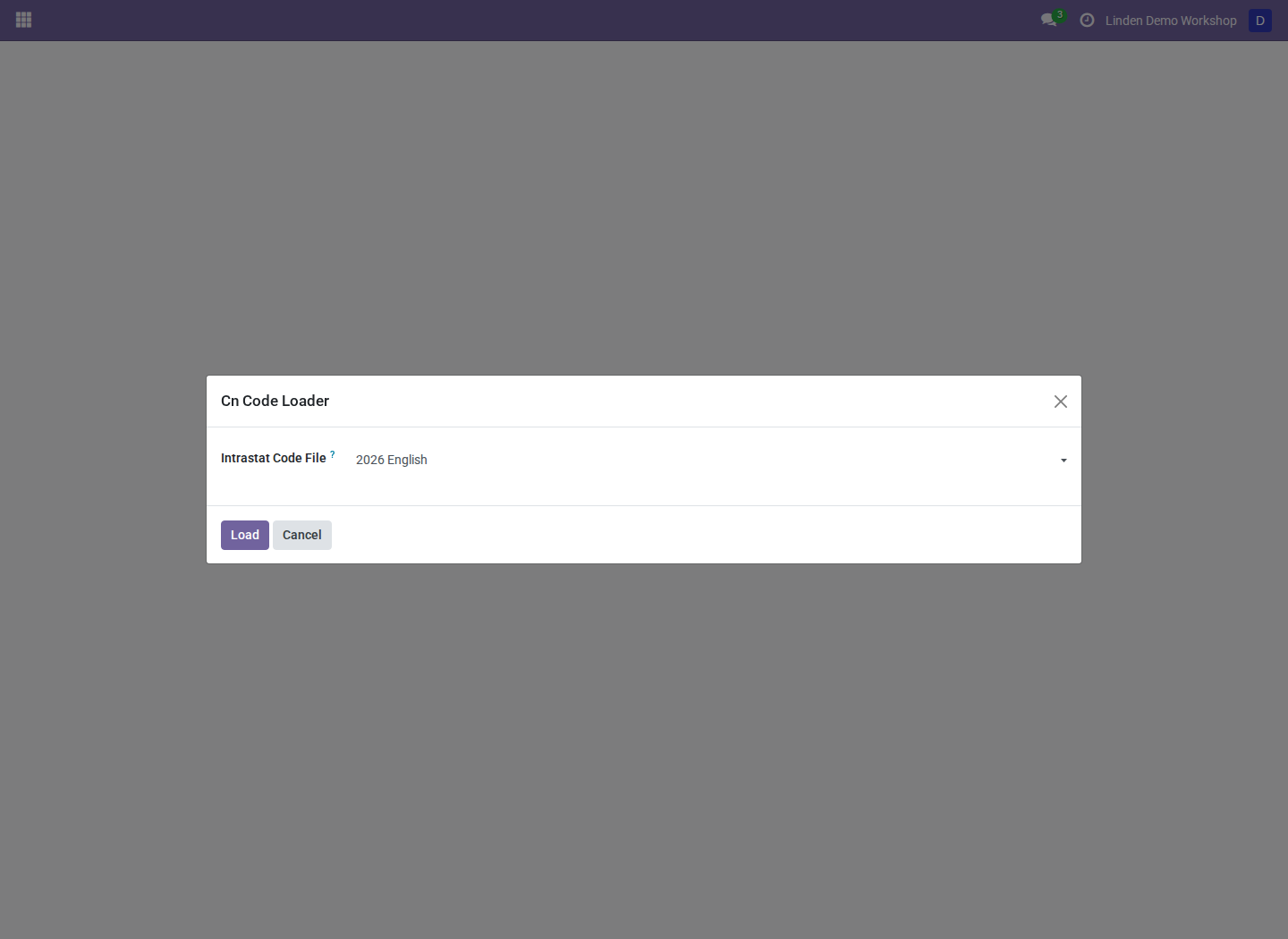
The real loader offering a shipped code pack. This capture shows selection before loading; it does not claim that an import has completed.
Only the 2026 English and Slovenian packs are shipped. Codes in a pack receive January 1 of that year as their validity start and no end date. Other CN8 codes receive December 31 of the preceding year as their validity end. Reloading another year overwrites those boundaries; it does not create historical code snapshots. Loading also overwrites descriptions in the matching active language.
Prepare a declaration
- Select the reporting company.
- Open Intrastat > Slovenian Intrastat Product Declaration and create a declaration.
- Select the company, year, month, and arrivals/dispatches direction. Review the reporting level supplied by the company configuration; the Slovenian form can hide that field.
- Use the declaration's invoice-gathering control.
- Review computation lines and warnings. Verify CN validity for the period, origin, destination/source country, transaction information, VAT numbers, weights, and supplementary quantities.
- Review extended transport and Incoterm details where applicable.
- Generate and review declaration lines before finalizing/exporting.
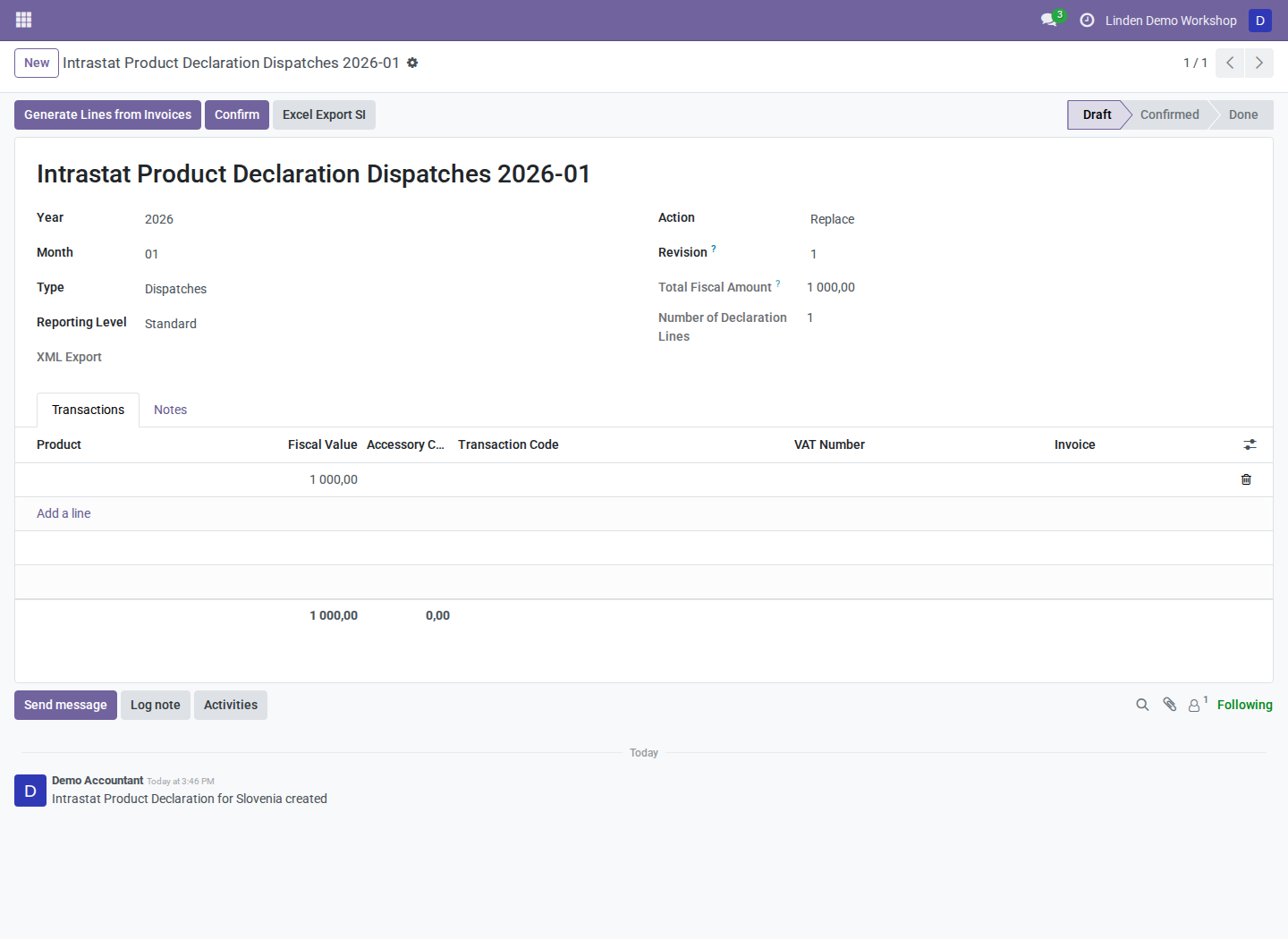
A populated draft declaration with an illustrative EUR 1,000, 25 kg line. The draft is not an export-ready filing: complete classifications and gather the actual source evidence before export.
CN validity warnings during gathering are informational; they do not guarantee that invalid codes are blocked. Resolve them as part of the review.
Export and submit separately
- Review computed totals and the declaration lines against invoices/refunds.
- Use Excel Export SI for the Slovenian spreadsheet.
- Generate XML using the declaration's standard export controls.
- Resolve bundled-schema validation errors before downloading final XML.
- Submit through the approved external process and retain its receipt.
XML exports use three decimals for mass and supplementary quantities, integer
invoiced amounts, and two decimals for statistical values. The XML currently
writes nature-of-transaction components as 1 and 1 and declares EUR;
review those limitations before relying on the output. Selected transaction
codes are not serialized into those components.
Statistical-value adjustments default to a 2% reduction for DAP/DDP/DPU and a 5% increase otherwise. Have the administrator review these parameters. The gathering override does not distribute separately known accessory costs into goods values automatically.
Troubleshooting
| Symptom | What to check |
|---|---|
| Slovenian declaration or loader menu is missing | Installed addon, group membership, and company country |
| A pack cannot load | Active language and access to at least one Slovenian company |
| A code becomes invalid after loading | Selected pack year and the shared validity boundaries |
| Invoice data is missing or incomplete | Period, direction, fiscal position, product codes, weights, and origin |
| XML generation fails | Company VAT, reference period, required classifications, and schema validation message |
For Slovenian companies the upstream declaration menu is normally hidden; system administrators in developer mode can still see it. Use the Slovenian declaration workflow for this addon.
Screenshot context
Screenshots are real Odoo 18 captures from a fresh disposable database populated with fictional records. See the module overview for current implementation limits and dependencies.