Tax Balance Hook — User Manual
For accountants reviewing Slovenian tax balances in Odoo 18 Community. This addon changes how the existing tax-balance workflow discovers transactions by date and tax tags. It adds no menu, report, or settings screen of its own.
Before starting
Your administrator must install the addon with account_tax_balance,
pmis_account_dates, and l10n_si_tax_addons. You need access to tax balances
and the intended company's accounting records.
Confirm that source journal items have the correct Tax Date. This hook does not fill missing dates or change posted entries.
Open a period's balances
- Select the reporting company.
- Open Accounting > Reporting > Taxes Balance > Taxes Balance.
- Enter the period start and end dates and review the selected companies.
- Choose All Posted Entries for a posted-accounting review.
- Select a calculation basis:
| Basis | Use |
|---|---|
| DDV-O tax-tag amounts | Review contributions derived from report tags; the default |
| Standard tax balance | Review tax-ID-based amounts with cent precision |
- For DDV-O comparison, decide whether Round to whole euros as filed is appropriate. It does not apply to Standard tax balance.
- Click Open Taxes and review the resulting taxes and amounts.
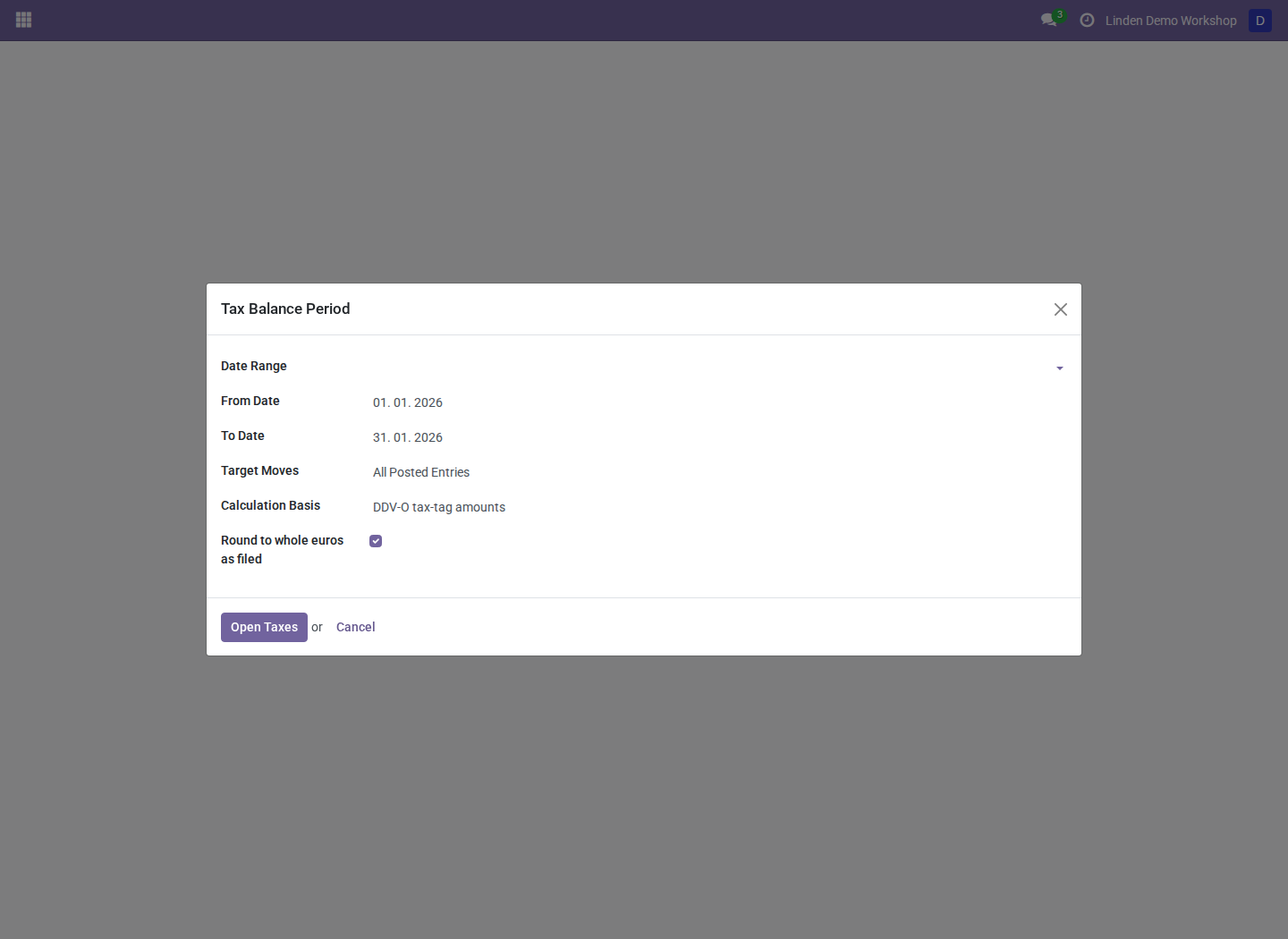
January 2026 selected for the fictional company. These controls come from the tax-balance and Slovenian tax addons; the hook operates behind them.
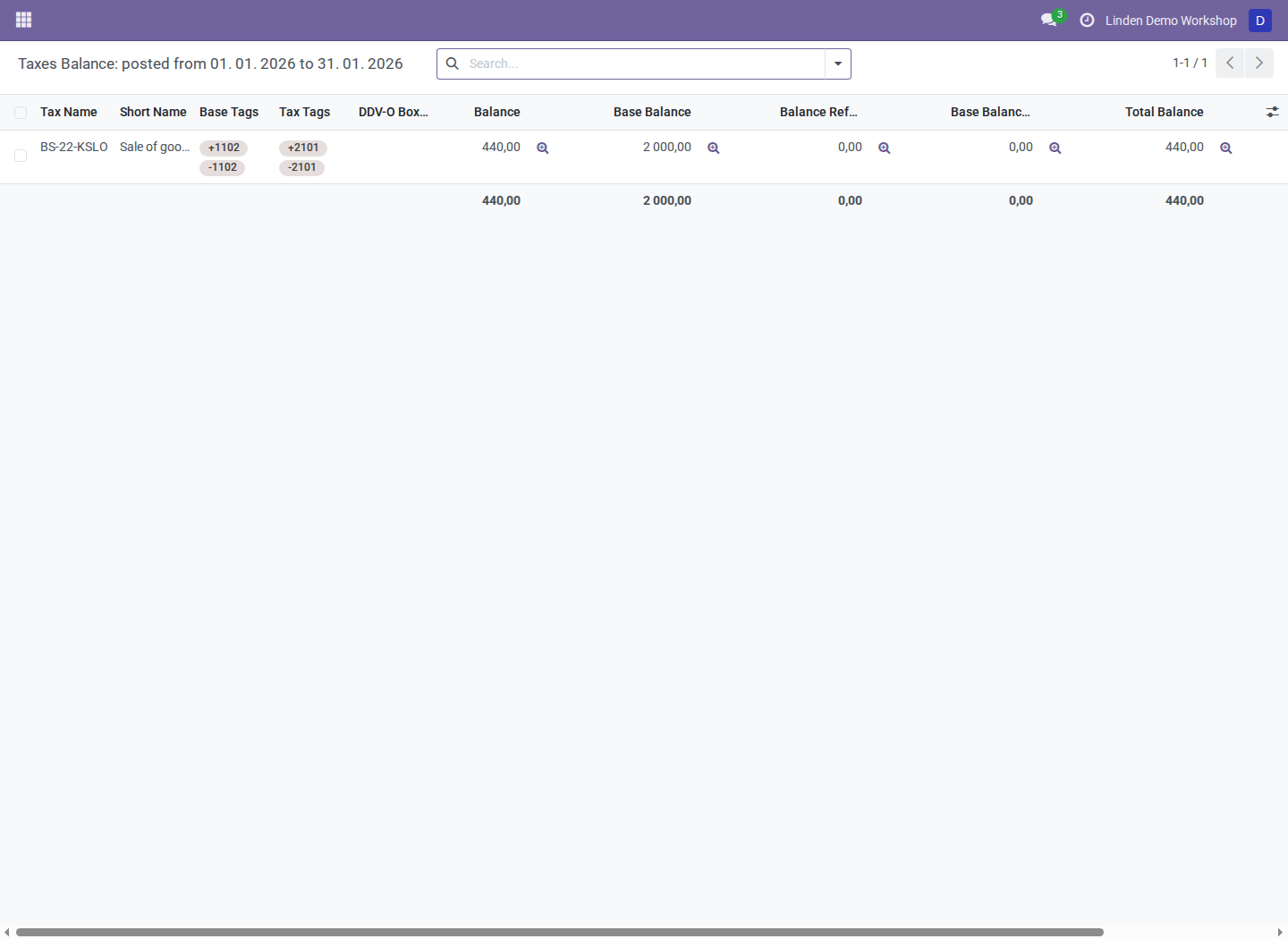
Balances opened from the populated example period using the wizard's context.
Investigate a difference
- Drill down from the relevant tax amount to its journal items.
- Compare the item's Tax Date with the requested period, including both boundary dates.
- Check the selected company and posted/draft scope.
- In DDV-O mode, check the report tags and signed contributions. Tagged adjustment entries can be relevant even without a direct tax-line link.
- Compare like-for-like calculation bases and rounding before concluding that a difference is an error.
When the Tax Date field exists, an empty value does not fall back to that item's accounting date. Accounting-date fallback is for environments without the selected date field. Correct date problems through the supported Tax Date correction workflow, with the appropriate accounting role and review.
Troubleshooting
| Symptom | What to check |
|---|---|
| A posted invoice is absent | Journal-item Tax Dates, selected period, and companies |
| Totals differ from DDV-O | Calculation basis, tags, signs, and whole-euro rounding |
| Tagged adjustments are absent | DDV-O tag mode and the adjustment's tags and Tax Dates |
| There is no hook-specific menu | Expected: use the existing Open Taxes workflow |
Screenshot context
Screenshots are real Odoo 18 captures from a fresh disposable database populated with a fictional company, the Slovenian chart, and posted synthetic invoices. No production records are shown. See the module overview for the process-level hook's scope.