Slovenian Partner Statement — User Manual
For receivables accountants preparing outstanding statements and follow-ups in Odoo 18 Community. This addon extends the OCA Outstanding Statement report; it does not change invoice balances, reconcile payments, or send reminders automatically.
Before starting
The administrator must install this addon and partner_statement. Use the
dependency's accounting access and company configuration. Before printing,
review the customer's posted invoices, due dates, payments, and reconciliation.
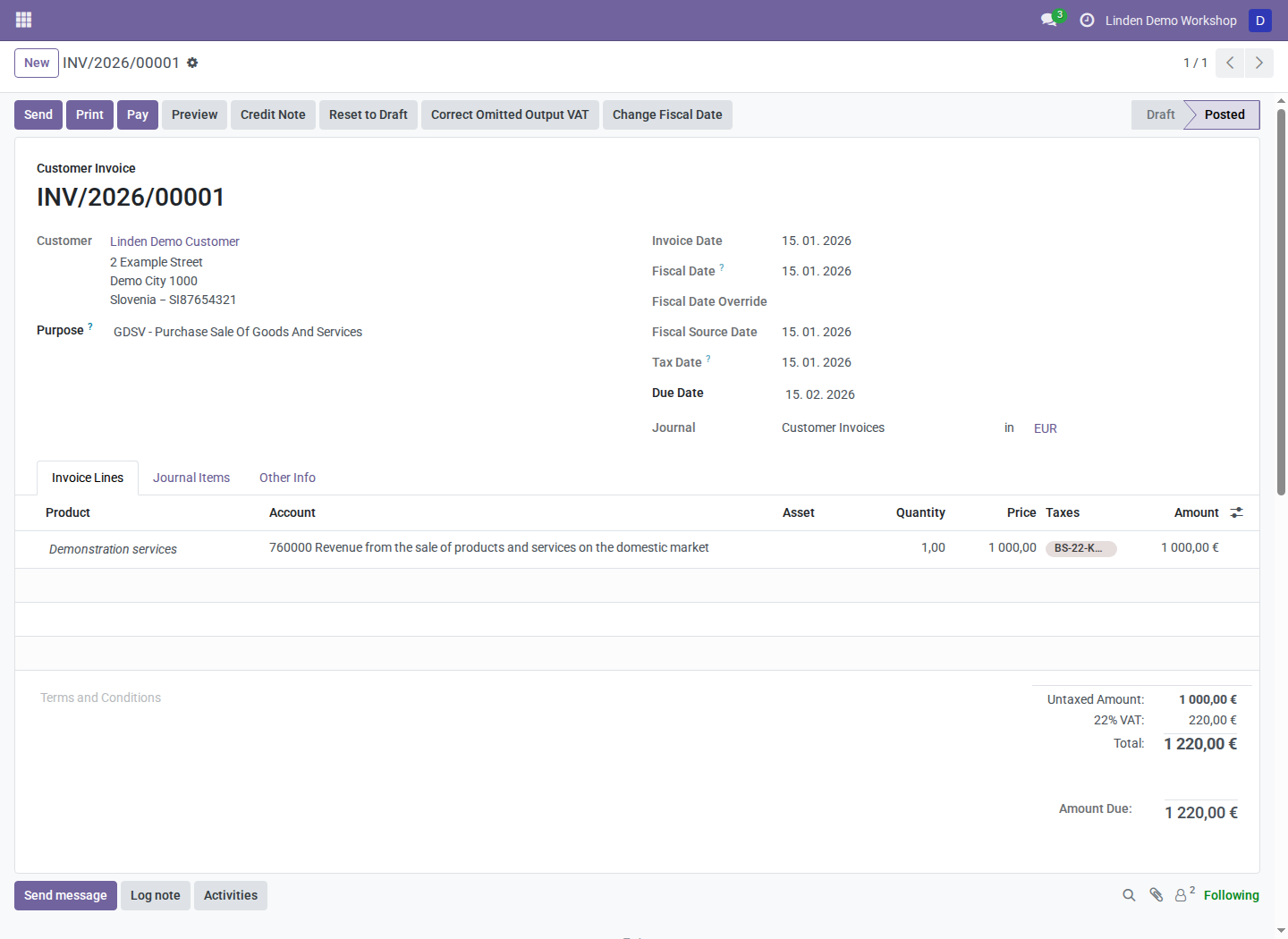
The fictional customer's EUR 1,220 invoice is due on February 15, 2026. The report end date determines whether it is included as overdue.
Print a regular statement
- Select the intended company.
- Open the customer list, select the intended customer or customers, and launch Outstanding Statement from the available report/actions menu.
- Review company, Date End, account type, aging options, and partner filters.
- Leave Print Overdue disabled.
- Generate the PDF using the wizard's normal export control.
- Review the Statement of Account, included documents, currencies, and total before distributing it through your normal process.
The report action depends on the installed partner-statement menus and access rights. Start with the selected partners; opening a blank technical wizard does not establish which partners to report.
Print an overdue follow-up
- Open Outstanding Statement for the selected customer(s).
- Set Date End to the approved cutoff date.
- Enable Print Overdue.
- Review the other filters. The dependency's Show only overdue option is separate; Print Overdue controls this addon's follow-up presentation.
- Generate and review the PDF.
- Check that the title is Follow-Up, the reminder text is appropriate, and the included maturity dates and balance agree with the review.
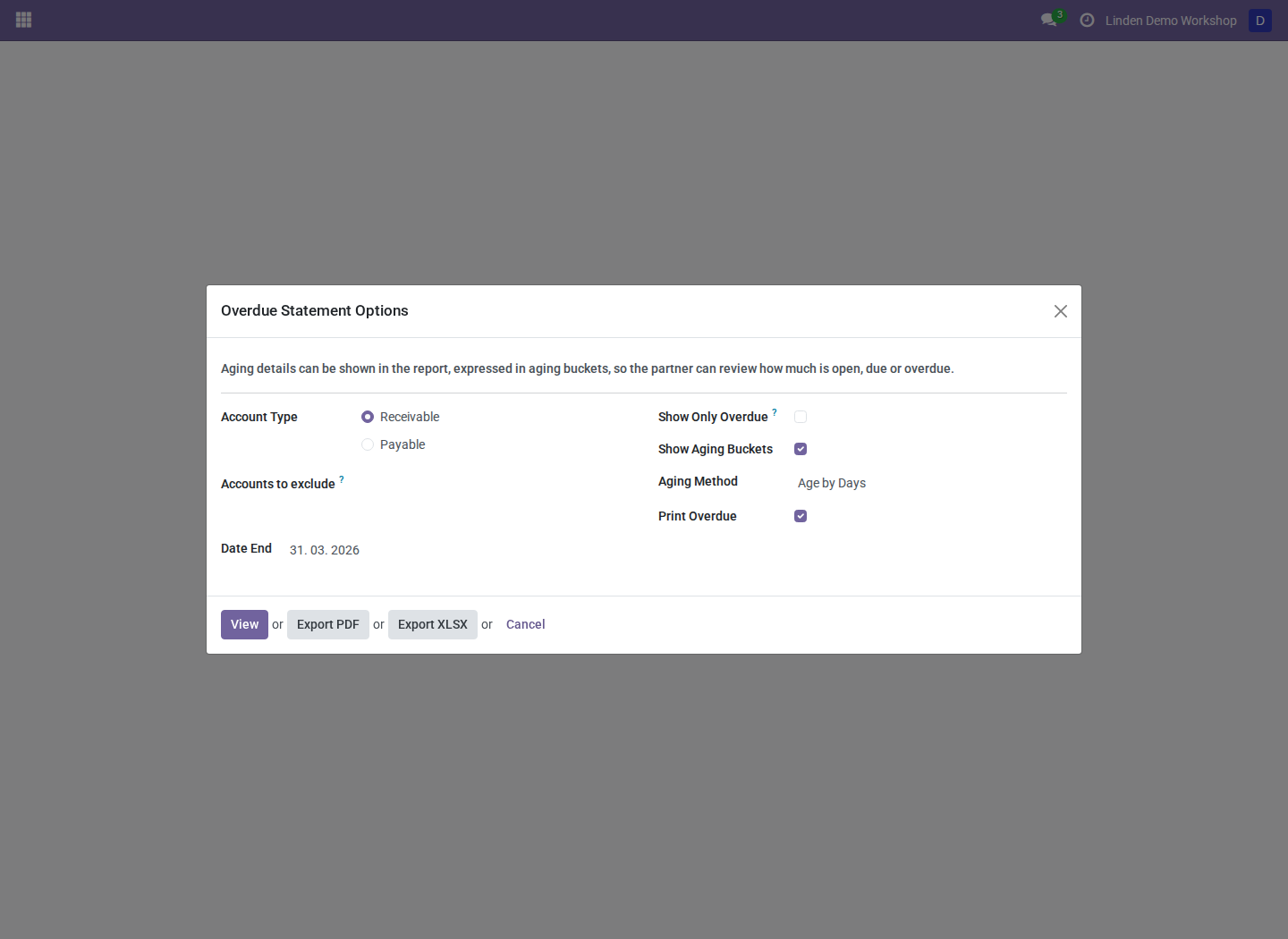
March 31, 2026 selected for a fictional customer. Its February 15 maturity falls on or before the cutoff.
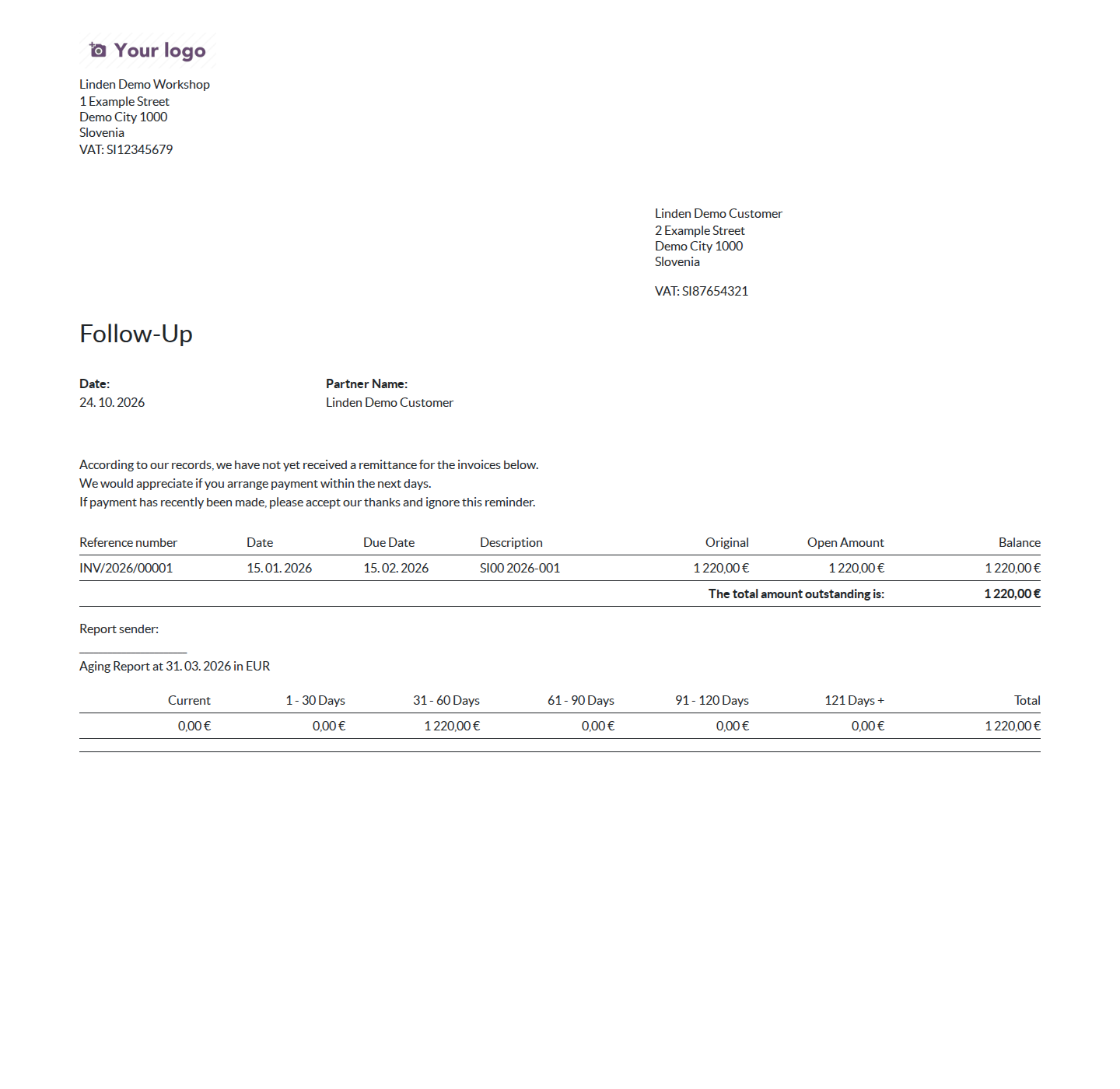
The native HTML follow-up report generated from those options. Review the included documents and total before exporting or distributing the report.
Overdue mode includes lines with maturity dates on or before Date End. The displayed running balance and total follow the included overdue lines. Other wizard filters can further restrict partners and entries, so review those settings if expected lines are absent.
Review and distribute
Printing a follow-up does not prove that a customer received it or that a payment is still outstanding at the time of delivery. Review recent payments and reconciliation before sending the document. Distribution remains your normal separately authorized communication process.
The report changes are not restricted to Slovenian companies. Language and date-format settings can affect printed output.
Troubleshooting
| Symptom | What to check |
|---|---|
| Print Overdue is unavailable | Module installation and whether this addon's Outstanding Statement view is active |
| A document is absent | Due date, report end date, payment reconciliation, and the wizard's partner/account filters |
| Follow-up total differs from a regular statement | Overdue mode includes only maturity dates on or before the cutoff |
| A localized date line is omitted | Date-format parsing; ask the administrator to inspect the reported parsing failure |
| No reminder was sent | Expected: generating a report does not send it |
Screenshot context
Screenshots are real Odoo 18 browser captures from a fresh disposable database populated with fictional company, customer, and invoice records. The options capture is a wizard, not a generated PDF. See the module overview.